
I Built a Voice Assistant That Runs Entirely on My Home Network. Heres What I Learned.
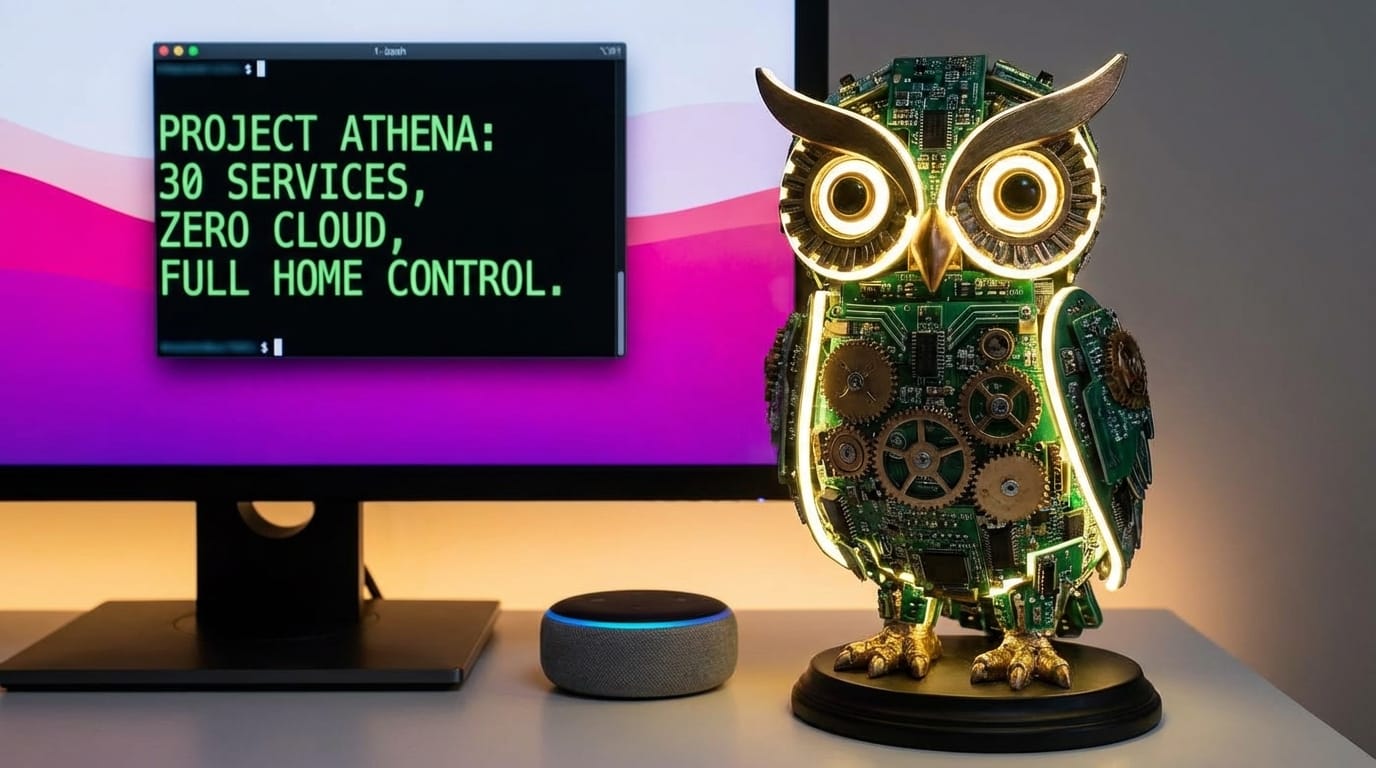
How a weekend experiment turned into a 30-service AI system that controls my entire home — with zero cloud dependencies.
When I told Alexa to turn off my office lights for the thousandth time and watched it route my voice through Amazon's servers, process it in some data center in Virginia, and send a command back to a smart plug three feet from the Echo — I started thinking about what a voice assistant should look like.
That thought became Project Athena: a fully local AI voice assistant that now runs 24 specialized AI services, processes every query on hardware in my basement, and responds in under 5 seconds. No cloud. No subscriptions. No one listening.
This is the story of how I built it, what broke along the way, and why I think the future of AI assistants is local-first.
The Problem With Commercial Voice Assistants
We've all felt it. The lag. The "I'm sorry, I can't help with that." The eerie feeling that your private conversations are training data.
Commercial assistants are designed around a fundamentally centralized model: your voice leaves your home, gets processed somewhere you can't see, and a response comes back — if the internet is working, if the service isn't down, and if the company hasn't decided to deprecate the feature you depend on.
I wanted something different:
- Responses in 2-5 seconds, not 5-10 (unless a rag service takes longer)
- 100% local processing — my data never leaves my network
- Actual intelligence — not just keyword matching, but contextual understanding with access to live data
- Full home coverage — 10 zones, every room
So I built it.
The Architecture: 30 Services, Zero Cloud
Project Athena isn't a single application. It's a distributed system of specialized microservices, each responsible for one thing and one thing well.
At the center is a LangGraph state machine — an 11,000+ line orchestrator that acts as the brain. When you say "Hey Jarvis, what's the weather and turn off the living room lights," here's what actually happens:
- Wake word detection triggers locally on a voice processing device
- Speech-to-text transcribes your voice on local hardware
- The Gateway (an OpenAI-compatible API layer) receives the text, applies rate limiting and circuit breaking
- The Orchestrator classifies your intent, determines complexity, and routes to the right services
- RAG services fetch real-time data (weather APIs, sports scores, restaurant info)
- An LLM generates a natural response using locally-running models
- Anti-hallucination validation checks the response against source data
- Text-to-speech normalization converts "$45" to "forty-five dollars" and "10:30 AM" to natural speech
- Audio streams back to the speaker in the room you're standing in
The whole round trip: under 5 seconds.
The Query Classification Pipeline
This is where it gets interesting. Before any LLM even touches your query, it passes through six layers of deterministic processing:
Layer 1 — STT Error Correction. Speech-to-text models make predictable mistakes. "Place a music" should be "play music." I maintain a correction map that catches these before they confuse everything downstream.
Layer 2 — Typo and Slang Normalization. Yes, the system understands "deadass" and "no cap." When your teenager asks Jarvis a question, it shouldn't break.
Layer 3 — Analytical Query Detection. If someone pastes a 500-word document and says "proofread this," the system immediately routes to the most capable model without wasting time on classification. The word "office" in a proofread request isn't a room name — it's content.
Layer 4 — False Memory Detection. "Remember when you told me about that restaurant?" If there's no conversation history in the session, the system intercepts this before the LLM can hallucinate a memory it never had.
Layer 5 — Emotional Context. "Work was terrible today" shouldn't trigger a web search. It should trigger empathy.
Layer 6 — Pattern Classification. 21 intent categories, matched through carefully tuned regex before an LLM classifier is ever invoked.
Only after all of this does the system optionally call a lightweight LLM for ambiguous cases. Most queries never need it.
24 RAG Services: Specialized Knowledge at Scale
Each domain gets its own microservice. Weather. Sports. Dining. Flights. Stocks. Recipes. Directions. News. Train schedules. Tesla vehicle status. Local community events. Price comparisons. Each one:
- Runs independently on its own port
- Fetches and caches real-time data from external APIs
- Registers itself with a central service registry at startup
- Pulls encrypted API keys from an admin backend — no hardcoded secrets
When you ask "What's the score of the Ravens game?", the sports service isn't just hitting one API. It's querying TheSportsDB, ESPN's undocumented API, API-Football, and RSS feeds simultaneously, then synthesizing the most complete answer.
When you ask "Find me a good Italian restaurant nearby," the dining service queries Google Places, enriches the results with ratings and price data, and the orchestrator synthesizes a conversational response — not a list of JSON objects.
Complexity-Aware Model Routing
Not every question needs the same horsepower. "What time is it?" and "Compare the economic implications of remote work policies across three cities" are fundamentally different queries.
The system uses a regex-based complexity detector — no LLM required — that extracts 10 features from every query: comparisons, conditionals, aggregations, multiple locations, temporal references, conjunctions, and question type. Each feature contributes a weighted score, combined with an intent-specific baseline.
The result maps to three model tiers:
Every query gets the minimum model needed — fast responses for simple questions, serious compute for hard ones. The model assignments are configurable from an admin UI without touching code.
The Anti-Hallucination Pipeline
This is the feature I'm most proud of, because it addresses the fundamental trust problem with LLM-generated content.
After every response synthesis, a four-layer validation pipeline runs:
- Bounds check — Is the response a reasonable length?
- Pattern detection — Does it contain specific dates, times, dollar amounts, or phone numbers?
- Data support check — If it claims specific facts, did the RAG services actually provide that data?
- LLM fact-check — A separate, smaller model evaluates whether the response contains claims not present in the source data
If a response says "The restaurant is at 912 South Clinton Street and their phone number is (410) 555-1234" but the RAG service only returned the name and rating — that gets caught. The system tracks hallucination types (unsupported dates, prices, phone numbers) via Prometheus counters.
When a response fails validation and no good data exists, instead of guessing, the system can automatically trigger a web search fallback and re-synthesize. Better to be slow and right than fast and wrong.
Smart Home Control: Beyond Turn Off the Lights
The smart home controller is 5,000+ lines of Home Assistant integration that goes well beyond basic on/off:
- 70+ lock/unlock patterns: "Did I lock the front door?", "Lock it down for the night", "Are my doors unlocked?"
- Occupancy awareness: "Is anyone home?", "Who's in the kitchen?"
- Sports team colors: "Set the lights to Ravens purple" actually works
- Exclusion lists: "Turn off all the lights" knows to leave the WLED accent strips and undercabinet lighting alone
- Response variety: Five different templates for every action, randomly selected. No more robotic "OK, turning on the lights" every single time

Not Just Voice: A Web Interface Too
The voice devices are the primary way to interact with Jarvis, but they're not the only way. I also built a web-based push-to-talk interface that runs in any browser. Hold a button, speak your question, release, and the response plays back through your device's speakers.
It started as a development tool — a way to test the orchestrator and RAG pipeline without standing in front of a voice device — but it turned out to be genuinely useful. If I'm away from home and connected over VPN, I can still ask Jarvis anything through my phone's browser. It hits the same orchestrator, the same RAG services, the same models. The only difference is it doesn't support continued conversation the way the voice devices do — each interaction is a single request-response cycle.
The web app is a lightweight container deployed on the Kubernetes cluster, accessible at a subdomain. Nothing fancy on the frontend — just a clean PTT button, a waveform visualizer, and streaming audio playback. But having a fallback interface that doesn't depend on physical hardware being in the room has saved me more than once.
The Infrastructure: Running on Real Hardware
This all runs on hardware in my home:
- Mac Studio M4 (64GB) — Gateway, Orchestrator, all 24 RAG services, Ollama LLM server
- Mac mini M4 (16GB) — Qdrant vector database, Redis cache
- 3-node Proxmox cluster (MS-01 nodes with i9-13900H, 96GB RAM each) — Kubernetes cluster hosting the admin backend, PostgreSQL, Prometheus/Grafana monitoring
- 40Gbps Thunderbolt 4 ring for Ceph distributed storage between cluster nodes
- 10GbE backbone connecting everything
A Control Agent runs as a watchdog, checking all 25 services every 60 seconds and auto-restarting anything that dies. It knows which services have known issues and excludes them from restart loops.
A Control Agent aside, the real management story is the admin panel.

The Admin Panel: Configuring Everything From One Place
Early on I was editing config files over SSH and restarting services manually. That got old fast. So I built a full admin panel — a web UI backed by a FastAPI service running on the Kubernetes cluster — that lets me configure every facet of the system without touching code or a terminal.
Here's what it covers:
- Model configuration — Assign which LLM handles each complexity tier (simple, complex, super complex) and adjust the mappings any time a new model drops. No code changes, no restarts.
- RAG service management — Enable or disable any of the 24 RAG services, update their endpoints, and monitor their health status from a single dashboard.
- External API key management — All third-party API keys (Google Places, ESPN, weather providers) are stored encrypted in PostgreSQL and served to services at startup. Add, rotate, or revoke keys through the UI.
- Feature flags — Toggle experimental features system-wide. Want to test a new anti-hallucination layer? Flip a flag. Something breaks? Flip it back.
- Conversation memory — View and manage stored conversation context, session history, and per-room state.
- Guest mode — Configure what guests can and can't do. Visitors get access to weather and music but not door locks or security cameras.
- Device registry — Track every voice device, its zone assignment, and its current status.
- Audit logging — Every configuration change, API key access, and administrative action is logged with timestamps and user attribution.
- Real-time pipeline monitoring — A WebSocket-powered view that shows queries flowing through the system in real time: classification decisions, which RAG services were called, model selection, response times, and validation results.
- Ollama management — Start, stop, and restart the LLM server. Load or unload specific models from memory. Check GPU utilization and loaded model status.
- Service control — Start, stop, or restart any of the 25+ services running on the Mac Studio through the Control Agent integration.
The whole thing is behind OIDC authentication via Authentik (the same SSO that protects the rest of my infrastructure), and it also supports scoped API keys for programmatic access — so automation scripts can manage the system without a browser session.
Building the admin panel was probably 30% of the total project effort, but it's what makes the system livable. Without it, this would be a cool demo. With it, it's something I actually maintain and iterate on daily.
What I Actually Learned
1. Deterministic preprocessing beats LLM classification for speed
The biggest latency win wasn't a faster model — it was not calling a model at all. Pattern matching handles 80%+ of queries without any LLM involvement. Save the expensive inference for when you actually need it.
2. Local LLMs are production-ready (with the right architecture)
Quantized 4B parameter models on Apple Silicon respond in under a second for simple queries. The key is routing — use small models for easy tasks and only escalate when complexity demands it.
3. Anti-hallucination is a pipeline, not a prompt
"Don't hallucinate" in a system prompt doesn't work. Structural validation — checking claims against source data with a separate model — actually works. Treat it like a test suite for every response.
4. Microservices are the right pattern for RAG
Each data domain has different caching needs, API rate limits, error modes, and data formats. A monolithic RAG service would be a nightmare. 24 independent services sounds like a lot until you realize each one is simple, testable, and independently deployable.
5. The hardest problem is text-to-speech normalization
Not inference, not latency, not distributed systems. Making "Dr. Smith at 123 N Main St, Baltimore, MD 21201 — call (410) 555-1234 after 10:30 AM" sound natural when spoken aloud. That 788-line normalizer handles 50 US states, 17 street abbreviations, directional context ("I-95 N" vs "100 N Main St"), phone number digit spacing, and time format quirks.
6. Systems fail in boring ways
In the two months since deployment, the biggest outages weren't from model failures or architectural problems. They were macOS SSH daemons dying after 58 days of uptime and Docker Desktop stealing service ports after a reboot. Build your watchdog first.
Whats Next
I'm working on voice identification — recognizing who is speaking and personalizing responses per household member. I'm also exploring whether the self-building tools system (where the LLM can propose new RAG tools when it detects a capability gap, subject to owner approval) can meaningfully extend the system's capabilities over time.
I also took my working private implementation and converted it into an open-source version that others can deploy on their own hardware. That meant ripping out every hardcoded IP, credential, and environment-specific shortcut and replacing them with proper configuration via environment variables and a centralized config module. It's still a work in progress — not every rough edge has been smoothed out yet — but the core system is functional and available under the Polyform Noncommercial license, free for personal use.
The Bigger Picture
We're at an inflection point for AI assistants. Cloud-hosted models are getting more capable, but local models are getting good enough — and "good enough" with zero latency, zero privacy concerns, and zero subscription fees is a compelling proposition.
The future isn't Alexa or Google Home getting smarter. It's running your own.
Jay Stuart is a software engineer building AI-powered systems for smart home automation. Project Athena is open source at github.com/jstuart0/project-athena-oss.